|
|

|

Auto steering and optimization
Auto steering
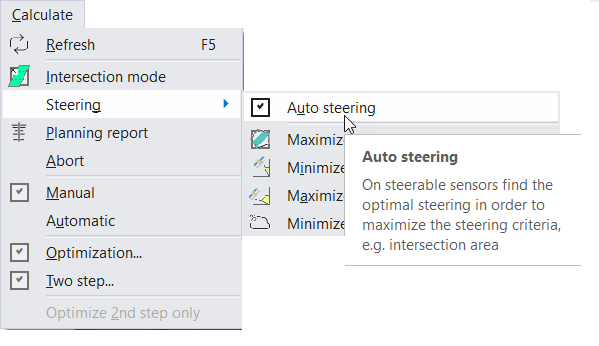
Diagram 1. Auto steering option.
For steerable sensors, if the sensor swath is not specifically selected, only the intersection of the field of regard (or envelope) with the area(s) of interest is calculated. The swath selection must then be done manually for each of the intersections found. Generally, for relatively short time spans, this is not a problem as the number of intersections found is reasonable.
However, if the time span increases, the number of intersections can be high and this process can be time consuming. In order to automate this process, the user can turn on auto steering (Calculate > Steering > Auto Steering). With this option, for each intersection, the angle giving the maximum coverage (i.e. best fit) of the area of interest is selected.
Optimize
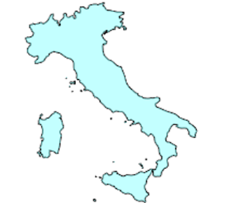
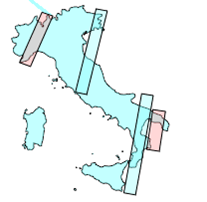
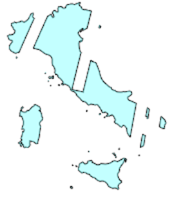
The auto steering option allows for maximising the coverage of the individual acquisitions but the previous acquisitions are not considered. This may lead to inefficient use of the sensor since the same area might be acquired repeatedly while other areas are not acquired at all. Also, especially in the case of high repeat cycle orbits, the same swaths tend to be chosen. In order to improve on this, the angle is chosen by maximising the coverage of the remaining non acquired area. After each selected acquisition, the areas covered are removed from the area of interest and future acquisitions are done based on this new area of interest.
You may set the Optimization settings via menu Tools / Optimization ... See more information on optimization options and operation .
|

|
|
|
|
Diagram 2. Example showing how the optimize option works.
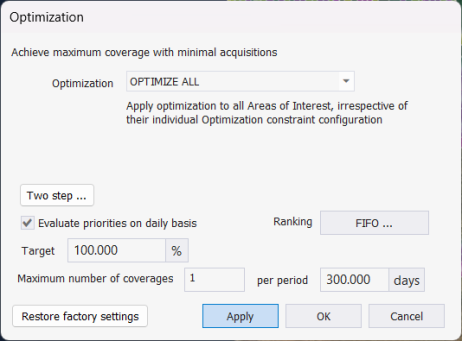
Diagram 3. Optimization options.
Multisatellite Swath Planner - © Taitus Software Italia srl All rights reserved- info: support@taitus.it