|
|

|

SaVoir V4.4.4 (26/08/2011)
| New features | |
|---|---|
| 1 |
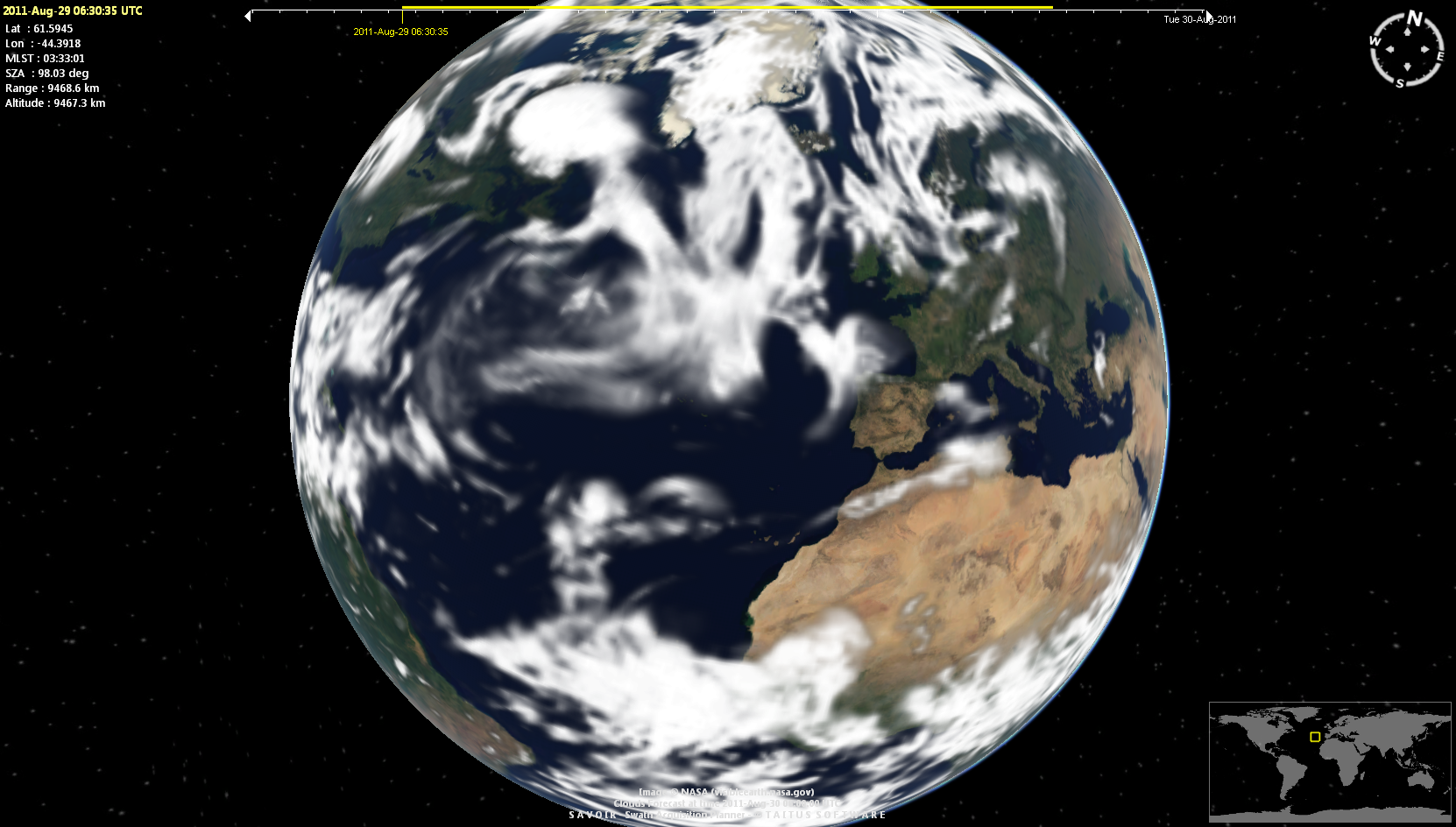
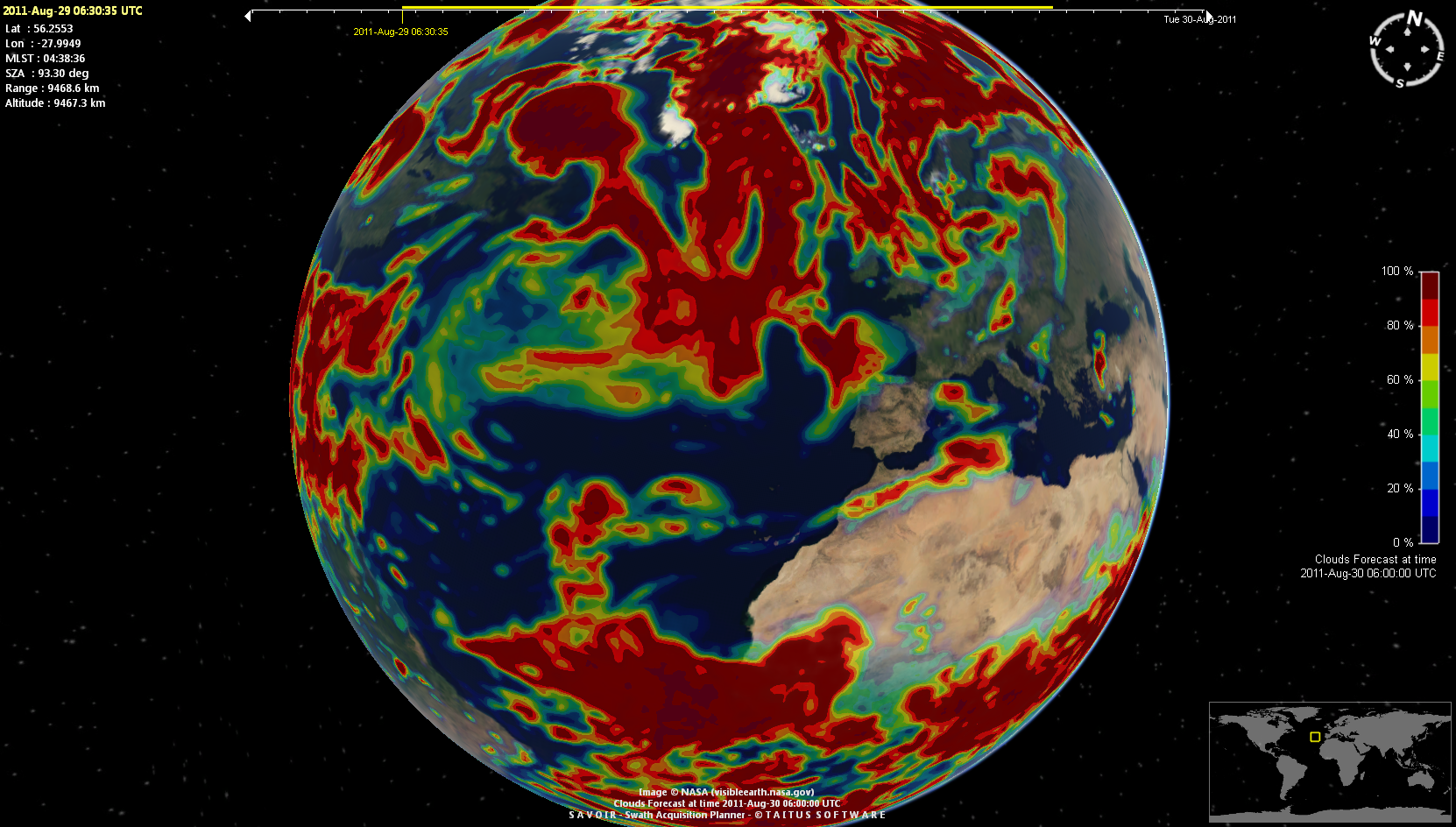
SaVoir provides now maps of cloud forecast using data from NOAA's national weather service. A 0.5 x 0.5 degree global picture of forecast cloud coverage is composed for a user selected time within the next 8 days. The function as activated from the menu View / Cloud Forecast ... The user is prompted to define a target time, usually 24 hours ahead of current time, and the type of map, whether black and white clouds image or a color map with % of cloud cover.
|
| 2 |
Cloud forecast can be activated per swath, to show the forecasted cloud cover at the observation time. It is possible to select a black & white picture or a color map with % of cloud cover.
|
| 3 |
SaVoir installer generates now two executables :
|
| 4 | All functionality implementing Cloud cover analysis (live clouds, forecast clouds and statistical clouds) has been separated from the main application body and implemented in a Plug in (Plug in Clouds). |
| Fixed source | |
| 1 | The page Edit / Properties .../ Satellites / Files has been upgraded to ensure that the links and buttons are able to retrieve update satellite configuration information correctly. |
| 2 | Fixed error when using single color maps (vectorized maps, Blue, Black and White). After some time using the map the application crashed due to out-of-memory on video card. |
| Configuration updates | |
| 1 | Fixed error in the definition of Envisat ROEF file name, which missed the final extension N1 |
| 2 | Radarsat-2 configuration updated as per last Radarsat-2 APT configuration update: "Added F0W3 to complement and extend the incidence angle range of the existing F0W1 and F0W2 Fine Wide beam mode" |
| 3 | Cosmo-Skymed configuration has been slightly modified to set framing handling with KeepFrameBoundaries = true, Floating Frame = ALIGN AT CENTER. Instrument Beams have been updated so that their names have the same number letters (e.g. H4-01 instead of H4-1). |
| 4 | Removed ALOS after end of mission. |
| 5 |
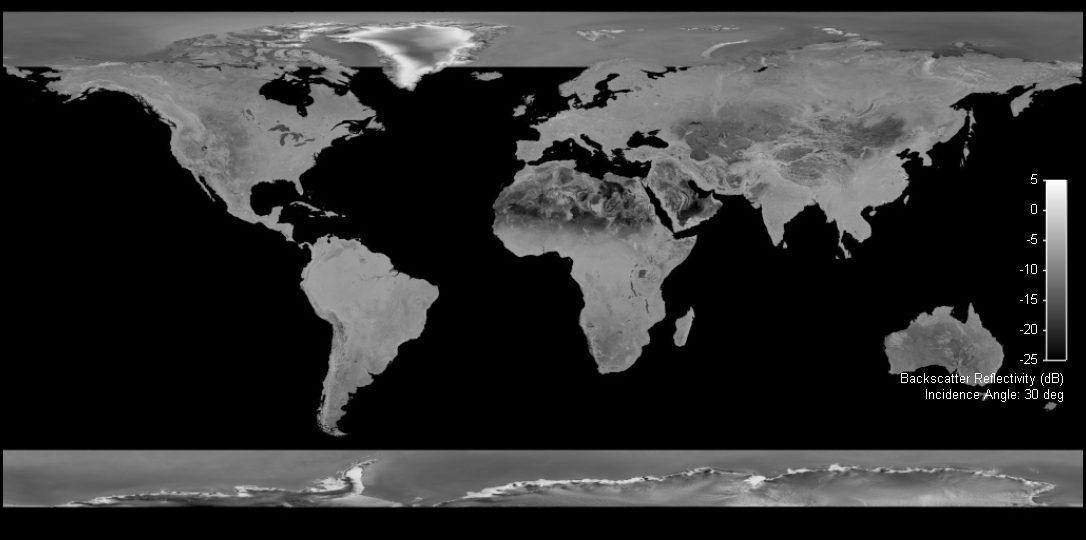
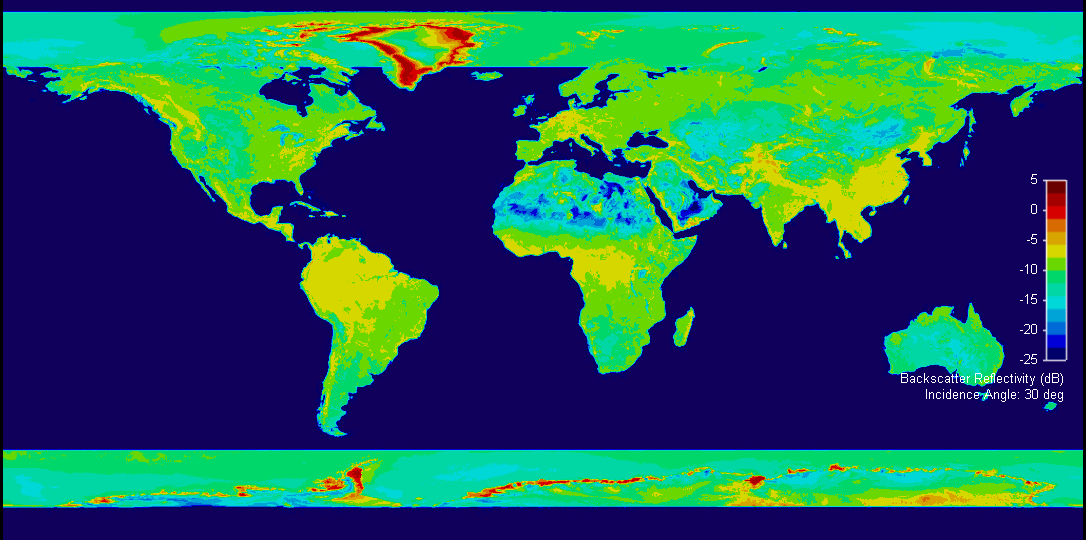
The SAR mosaic maps have been upgraded with a new baseline map covering also the polar caps.
|



Multisatellite Swath Planner - © Taitus Software Italia srl All rights reserved- info: support@taitus.it