|
|

|

SaVoir V4.2.2 (31/01/2010)
- New map backgrounds from Nokia Ovi Maps, Natural Earth and Earth Clouds.th and Earth Clouds.
- Fix in the handling of download threads which for certain background maps did not limit properly the number of simultaneous threads, with a performance consequence.
- Fix in the handling of swath style editing through the property grid. Before some properties edited in the grid, like Pen style and Fill style were not propagated to all swaths.
- New Feature: the constellation wizard provides two new constellation types: same orbital plane and same ground track.
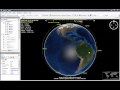
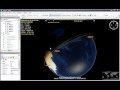
- Fixed Constellation wizard. When creating a Walker constellation from a pattern satellite and changing the walker parameters, the new constellation will provide same sensors to all satellites. Before the sensors were lost.
- Fixed Optimization algorithm to work also on Constellations.
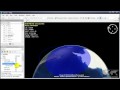
- New feature: Satellite Coverage cone is now displayed with a minimum elevation constrain, selectable from the satellite property grid. The Minimum Elevation is measured on ground, on the tangential plane. By default the minimum elevation is zero. The higher the minimum elevation the smaller the coverage cone.
- Fixed Unavailabilities editor to handle same-name sensors among different satellites, and handling deletion of multiple unavailability events.
- Fixed tagging of Ascending / Descending passes. Before a swath was declared Ascending or Descending by its status at the swath start time. Now it is done by its status at the middle of the pass.
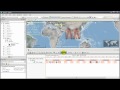
- New Feature: show the Ascending and Descending zones on the Gantt timeline.
- New feature map scale. It shows the map scale on a scale meter on the bottom left of the screen, only shown when the scale meter overlays the earth surface (you must zoom sufficiently). Activate it via menu "View / Special features / Map scale".
- Fix in the Shape file export function to ensure that exported regions are closed, with the last point equal to the first.
- Fix problem when calculating intersections very close the equator with small areas. The algorithm failed sometimes to find a solution due to incorrect threshold settings.
- Fix in the Filter menu button. The word KEY has been removed.
- Fix in the TLE
 Two Line Elements update. Before Sun Synchronous orbits would not raise a warning if orbit elements were too old. Now they will raise a warning, but only for those with Orbit State vector made of a TLE Two Line Elements.
 - Fixed editing (resizing and panning) of regions when in 2D projections.
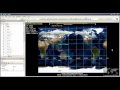
- New feature: 2D projections allow now to select the center longitude, and for some of them also the center latitude.
- Fix in the scenario tree right-click menu "Delete". Now it is possible to delete a group of e.g. Areas of Interest with a single Delete menu call.
- Fix editing of Latitude - Longitude pairs on property panes.
- New Feature: The scenario tree shows explicitly now that an AOI Area Of Interest or a Sensor is Disengaged from the Intersection algorithm (i.e. it will be displayed, but will not participate in the intersection search). It does it with a different icon in the scenario tree. By default all AOIs Areas of Interest and Sensors are engaged. You can disengaged one via the properties grid or via right click menu "Engaged".
Multisatellite Swath Planner - © Taitus Software Italia srl All rights reserved- info: support@taitus.it