|
|

|

Export Word document
General
With this function it is possible to create a Microsoft Word document which lists the planned acquisitions with an picture of each acquisition over its area of interest and associated parameters. The file follow a predefined format based on a customizable template. See an example out here.
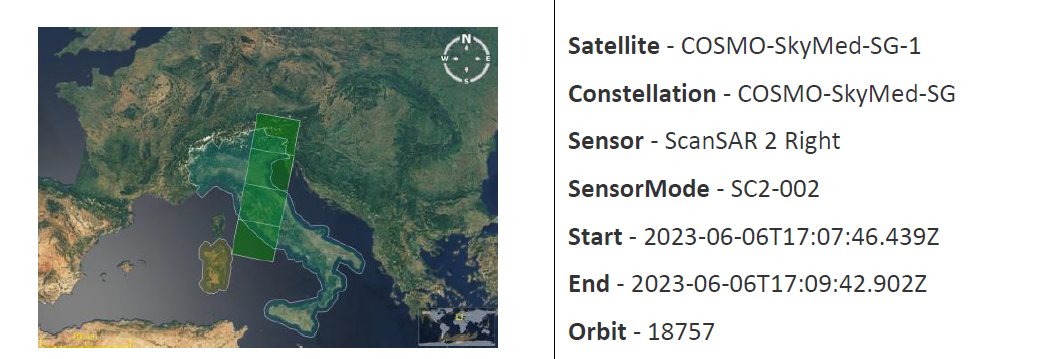
The function requires that there is an acquisition plan available with at least one swath.
It can be activated from File / Export / Export to Word ..., or from Tools / Swaths / Export to Word ...
The generation of the Word document follows the following sequence
(1) For each swath in the current acquisition plan,
- obtain a zoom-in image including the associated area of interest. The image size is defined in Edit / Properties / Import and Export / Word.
- extract the swath parameters that will be written in the Word document.
(2) Load the Word document template in XML format.
(3) Using a style sheet and configuration files in the templates folder, generate a final word file with the pictures and parameters inserted in a table with one row per swath.
(4) Save the file and offer to open it.
IMPORTANT: This functionality requires using Word XML format when loading saving the Word templates, and when creating the final Word file.
Configuring Export to Word
The function can be configured in Edit / Properties / Import and Export / Word, and Edit / Properties / Import and Export / Word parameters
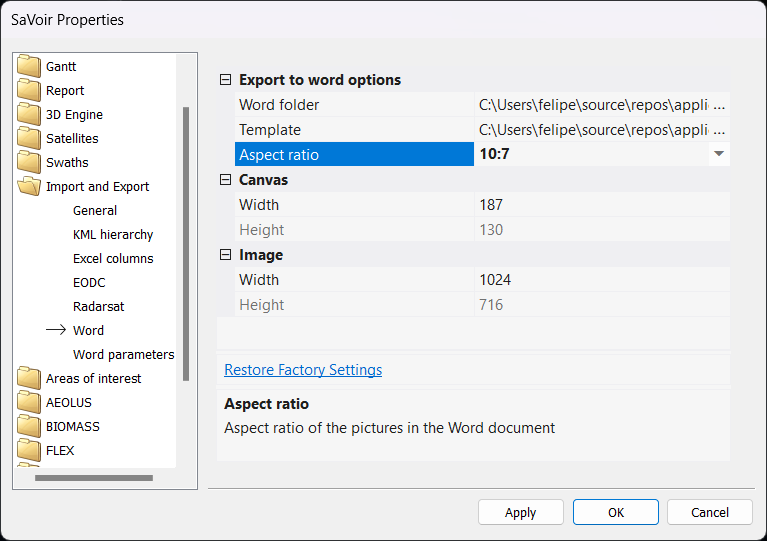
The following parameters can be configured:
- Word folder: This is the folder where the Word template is located. You may configure a different location, but the internal directory and file structure and naming should preserved.
- Template: Location of the Word XML template file.
- Aspect ratio: Each swath acquisition image will be generated using this aspect ratio, in the form "width : height"
- Canvas Width: Width in pixels of the document location that will host each image.
- Canvas Height: Height in pixels of the document location that will host each image. This parameters is read-only and is calculated automatically based on the canvas width and the aspect ratio.
- Image Width: Width in pixels of each swath image.
- Image Height: Height in pixels of each swath image. This parameters is read-only and is calculated automatically based on the image width and the aspect ratio.
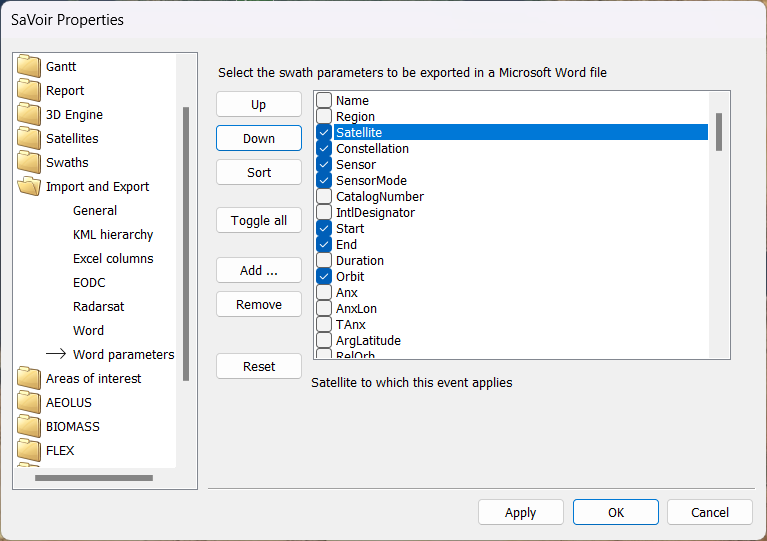
The set of parameters of each swath that are exported can be selected in the Word parameters section.
IMPORTANT: parameters selected here will be exported only if they were also selected in the Swaths / Qualify page.
Multisatellite Swath Planner - © Taitus Software Italia srl All rights reserved- info: support@taitus.it