|
|

|

Export maps
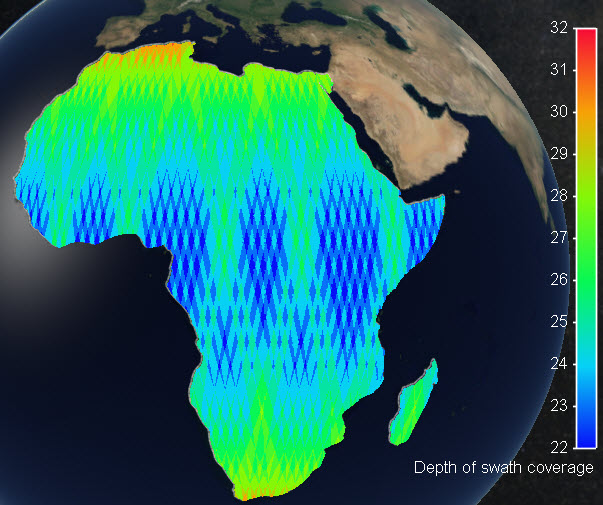
New "export color map" function to allow exporting e.g. Depth of Coverage maps to GeoTIFF, JPG, PNG, KML, KMZ.
The result is exported in a graphic file in Plate Carree projection, with transparent background to allow easy overlay on different mapping engines.
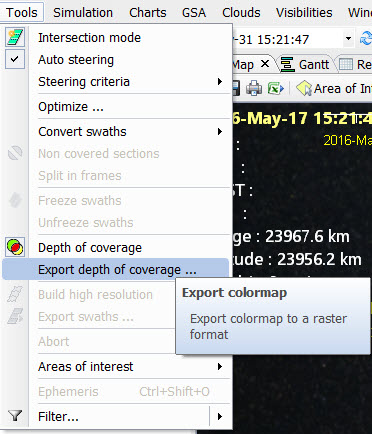
To export the color map just go to menu Tools /Export depth of coverage ...
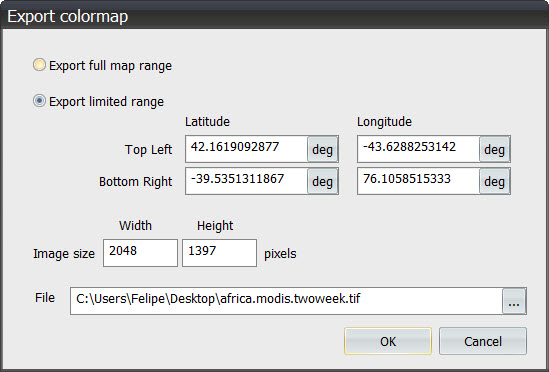
You will be requested to provide a file destination name, file format and map coordinates for a Plate Carree output. You may also modify the Image size in pixels.
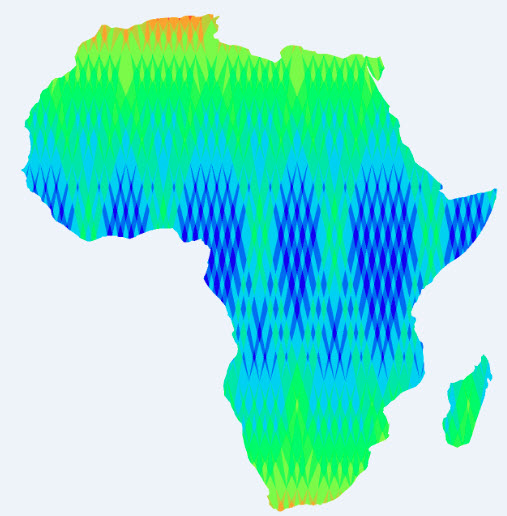
The result will be provided in the designated file with the desired format, with a transparent background when possible (png, kml, kmz, geotiff output)
For GeoTiff files, the color scale will be coded in the GeoTiff header custom parameters section. The following parameters are provided:
- Map name
- Autoscale (true or false)
- Start Time
- End Time
- Cyclical (true or false, for revisit maps)
- Map type, (one of the following options)
- depth of coverage ( DoC of swaths)
- depth of coverage regions
- depth of coverage antennas
- density (density of swath coverage over the selected regions, in relation to the target coverages)
- hits (statistics of hits of swaths over each selected region, in relation to the target coverages)
- revisit (average, maximum, minimum, standard
- latency
- delivery
- sun zenith angle
- azimuth
- Map subtype (when applicable, one of the following options)
- average
- maximum
- minimum
- standard deviation
- Scale parameters
- legend
- scale_min
- scale_max
- steps
- scale type (one of the following options)
- colored
- gray
- custom
- hue_min (only for colored scale)
- hue_max (only for colored scale)
- discrete (true or false)
Multisatellite Swath Planner - © Taitus Software Italia srl All rights reserved- info: support@taitus.it