|
|

|

Custom Mask
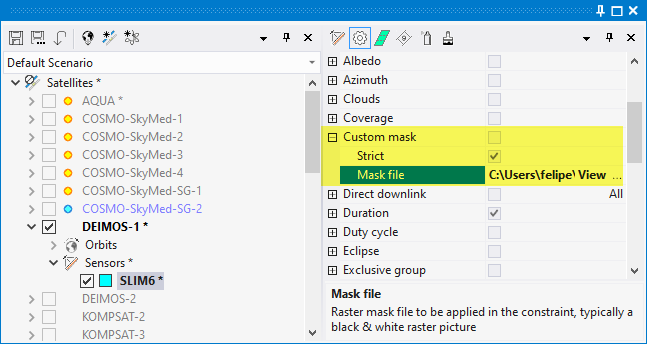
The Custom Mask constraint allows to define a raster mask to prevent sensor operation beyond the geographical boundaries defined by the mask.
The mask is defined by a file in a graphic format (jpg, png, bmp). It will be interpreted as a global Earth map in Plate-Carree projection. The software will read the mask to determine if a certain geographical coordinate is valid or not, and avoid sensor operation if not valid. Validity of a pixel is determined by converting the pixel to a [0-255] gray scale. The pixel, and therefore its associated geographical coordinates, is valid if the pixel value is above 127, and invalid if below.
The following mask types are available:
Strict: When true, operation will be restricted over the defined mask, preventing occasional overlaps with out-of-mask zones'
Mask file: the file path to the graphic raster file. It can be a local file address o an http address.
Example: the following mask represents the average albedo for April 2016, modified so that values in white correspond to Albedo > 0.6.
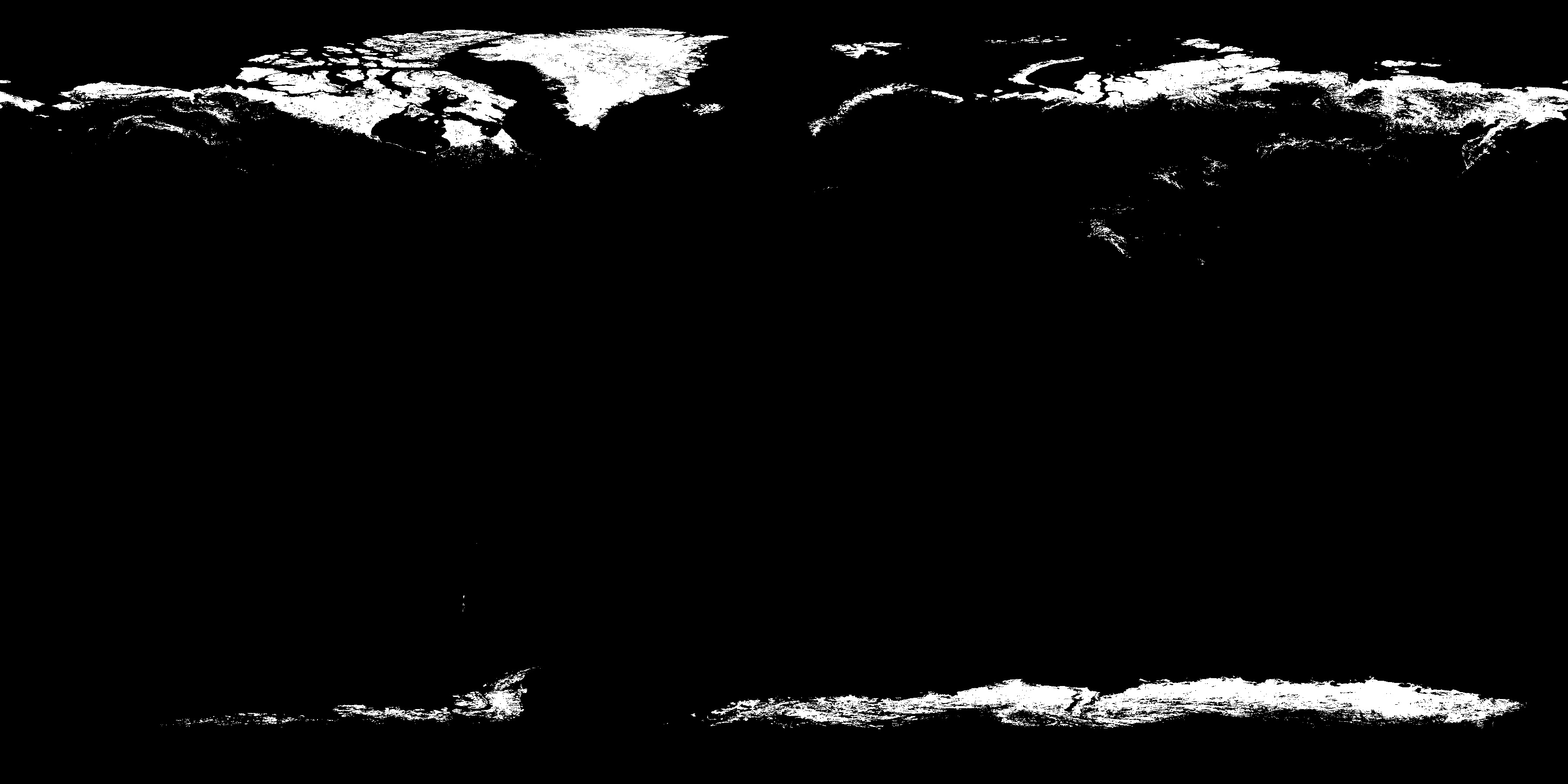
Applying this mask to the Aeolus ALADIN sensor, the application will constrain the sensor to operate only when the Albedo is above 0.6.
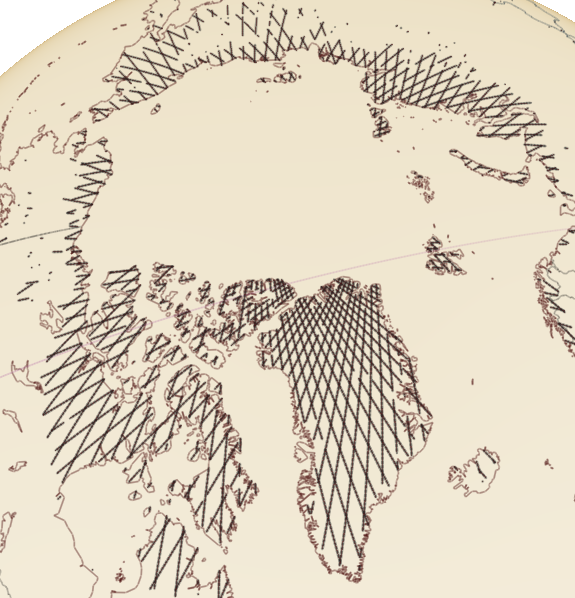
Aelous ALADIN sensor opportunities with Albedo > 0.6
Multisatellite Swath Planner - © Taitus Software Italia srl All rights reserved- info: support@taitus.it