|
|

|

Hot tracking
Hot tracking allows a user to display a satellite's position in the Map view with reference to the mouse position on the Gantt view.
To use hot tracking (see Diagram 1):
- Create a scenario over an area of interest choosing satellite and sensor combinations to create numerous potential acquisitions.
- Create a separate tab group for the Gantt view (See also: Create tab groups).
- On the Gantt view slowly mouse over a scenario swath task and note the satellite is being "tracked" on the Map view.
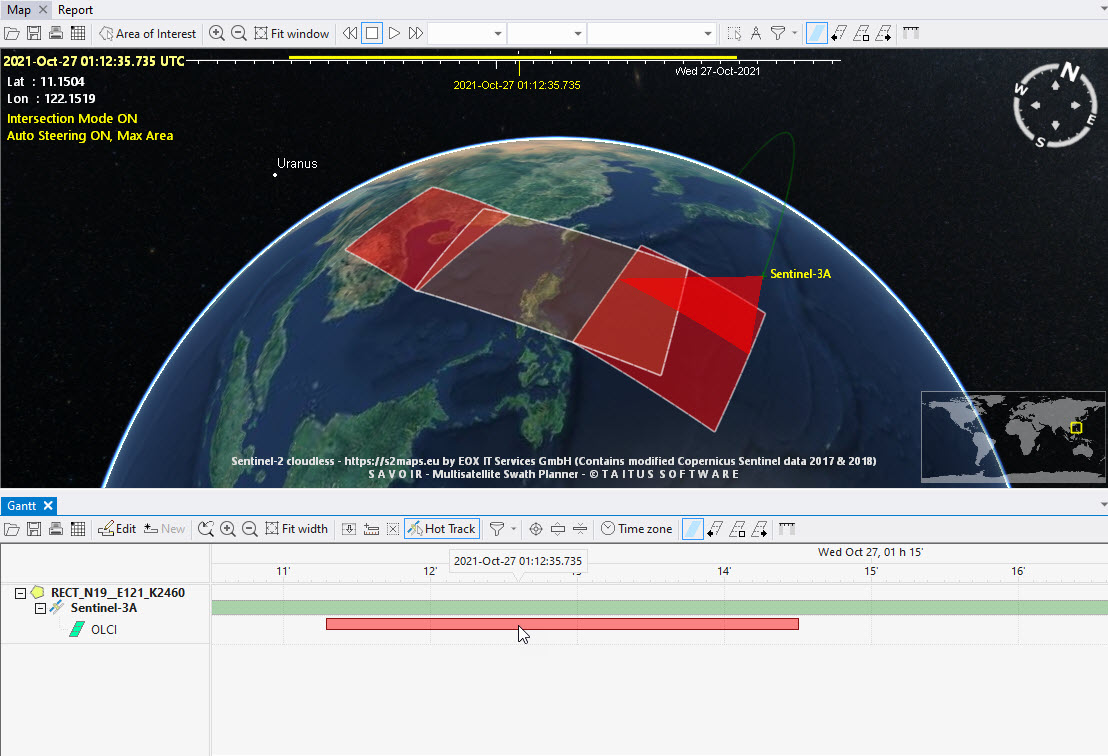
Diagram 1. Hot tracking Envisat.
Multisatellite Swath Planner - © Taitus Software Italia srl All rights reserved- info: support@taitus.it