|
|

|

Swath file
Defining the field of view of a sensor mode is also possible via "swath files".
Swath files can be in different formats:
- XML Earth Explorer Swath Definition files
- XML Earth Explorer Swath Template files
- Biomass swath file in CSV format
Usually a swath file is converted into one field of view object, belonging to one sensor mode.
Biomass swath file in CSV format
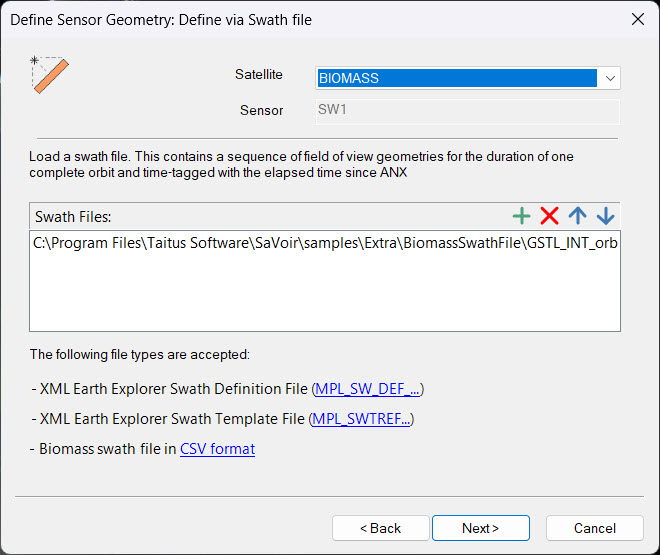
Biomass swath files in CSV format contain in one single file the field of view of three Biomass sensor modes: SW1, SW2, and SW3.
A sample Biomass swath file can be found in folder "C:\Program Files\Taitus Software\SaVoir\samples\Extra\BiomassSwathFile\"
In order to create the correct sensor modes you should create each sensor mode with the corresponding name, e.g. SW2, and then ingest the Biomass swath file with the sensor wizard. The wizard will import only the part of the file associated with SW2 and ignore SW1 and SW3
Alternatively, if you want to use a different name for the sensor mode, you should create parameter with name SwathId = 2 (for SW2) to allow the wizard to proceed with the correct sensor mode.
Multi selection
The file dialogue allows to do multi-selection, so it is possible to ingest several swath files for a given sensor.
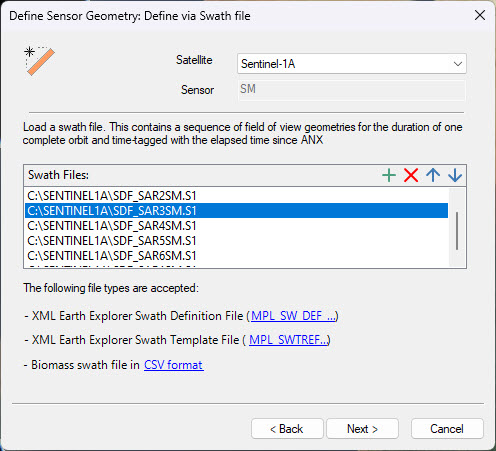
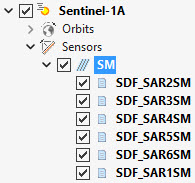
In this case one sensor mode will be created for each file.
Multisatellite Swath Planner - © Taitus Software Italia srl All rights reserved- info: support@taitus.it