|
|

|

Display special features
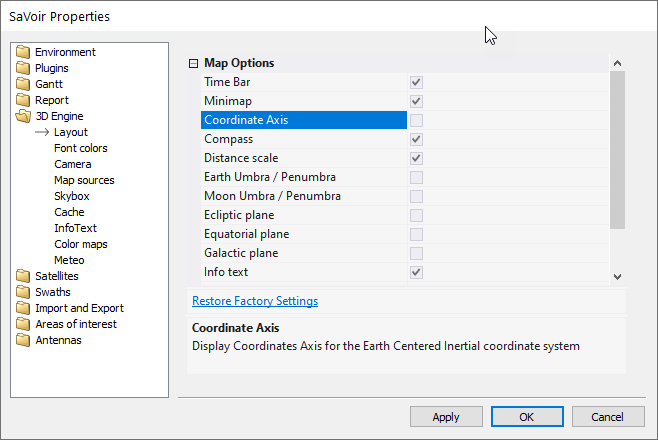
Umbra / Penumbra
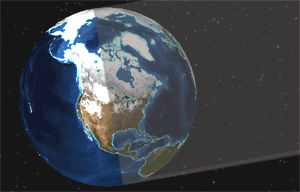
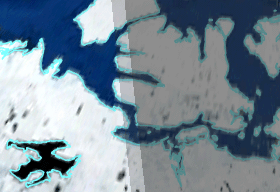
Shows the umbra and penumbra cone (see Diagram 1 and 2) produced by the Sun's occultation at the current displayed map time. Toggle on and off viewing of the umbra and penumbra cone by selecting and de-selecting Umbra / Penumbra in the 3D Engine > Layout submenu under the Properties menu.
|
|
|
|
Diagram 1. Part of the Umbra / Penumbra cone displayed. |
Diagram 2. Umbra / Penumbra close-up. |
Clouds
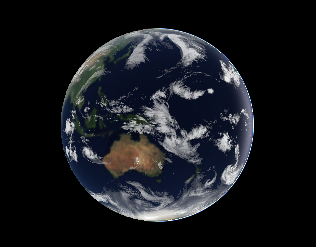
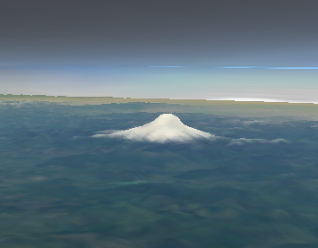
Shows the latest image of global clouds. Images are automatically downloaded periodically (roughly updated every three hours). The clouds are shown as realistically as possible and it is even possible to fly "under" the clouds. Toggle on and off viewing of the clouds by selecting and de-selecting Clouds in the Main Menu. and select from Forecast orLive.
|
|
|
|
Diagram 3. Clouds shown on the world. |
Diagram 4. A mountain seen under the clouds. |
Ecliptic and Equatorial Planes and Coordinate Axis
In order to help the user with the orientation of the Earth relative to the Sun, it is possible to show the ecliptic plane (yellow), the equatorial plane (red) and the coordinate axis of the Earth. Toggle on and off viewing of the specific option by selecting and de-selecting it in the Properties> 3D Engine > Layout submenu under the Edit menu.
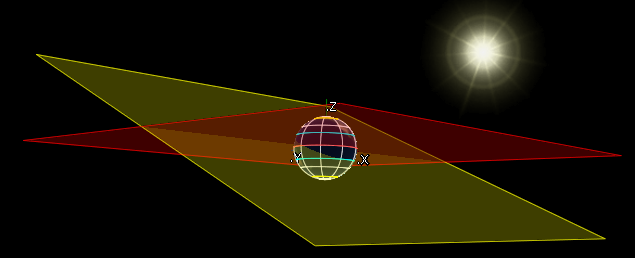
Diagram 5. Ecliptic plane, equatorial plane and coordinate axis.
Solar System
It is possible to view the planets of the Solar System in their correct positions. Although this may have little practical value for Earth observations, it is interesting! Toggle on and off viewing of the Solar System by selecting and de-selecting Solar System in the Gadgets submenu under the View menu.
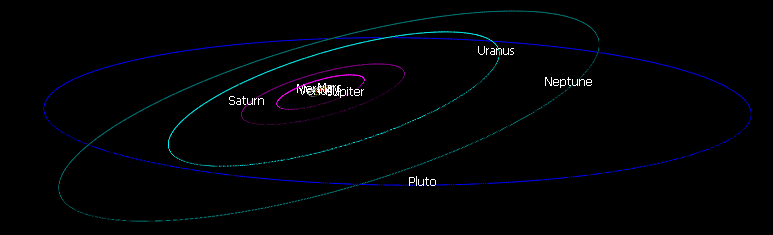
Diagram 6. Orbits of the planets of the Solar System.
Multisatellite Swath Planner - © Taitus Software Italia srl All rights reserved- info: support@taitus.it