|
|

|

Create tab groups
Tab groups can be created in order to display information from different views (or tabs) simultaneously. New tab groups can be created either horizontally or vertically (See Diagrams 1 and 2).
To create new tab groups:
-
select New Horizontal Tab Group or New Vertical Tab Group from the Window menu, or
-
right click on a view's or tab's title and select New Horizontal Tab Group or New Vertical Tab Group, or
-
drag and drop a view's or tab's title to the middle of the pane view and select New Horizontal Tab Group or New Vertical Tab Group from the pop-up menu created when the item was dropped.
To move individual tabs or views from one tab group to another:
-
simply drag and drop the view's or tab's title from one tab group to another, or
-
select the view or tab and then select Move to Previous Tab Group from the Window menu, or
-
right click on a view's or tab's title and then select Move to Previous Tab Group from the pop-up menu.
Tab groups can be resized by positioning the mouse between two tabs, thus activating the resize cursor, and then clicking and dragging the boundary to desired position.
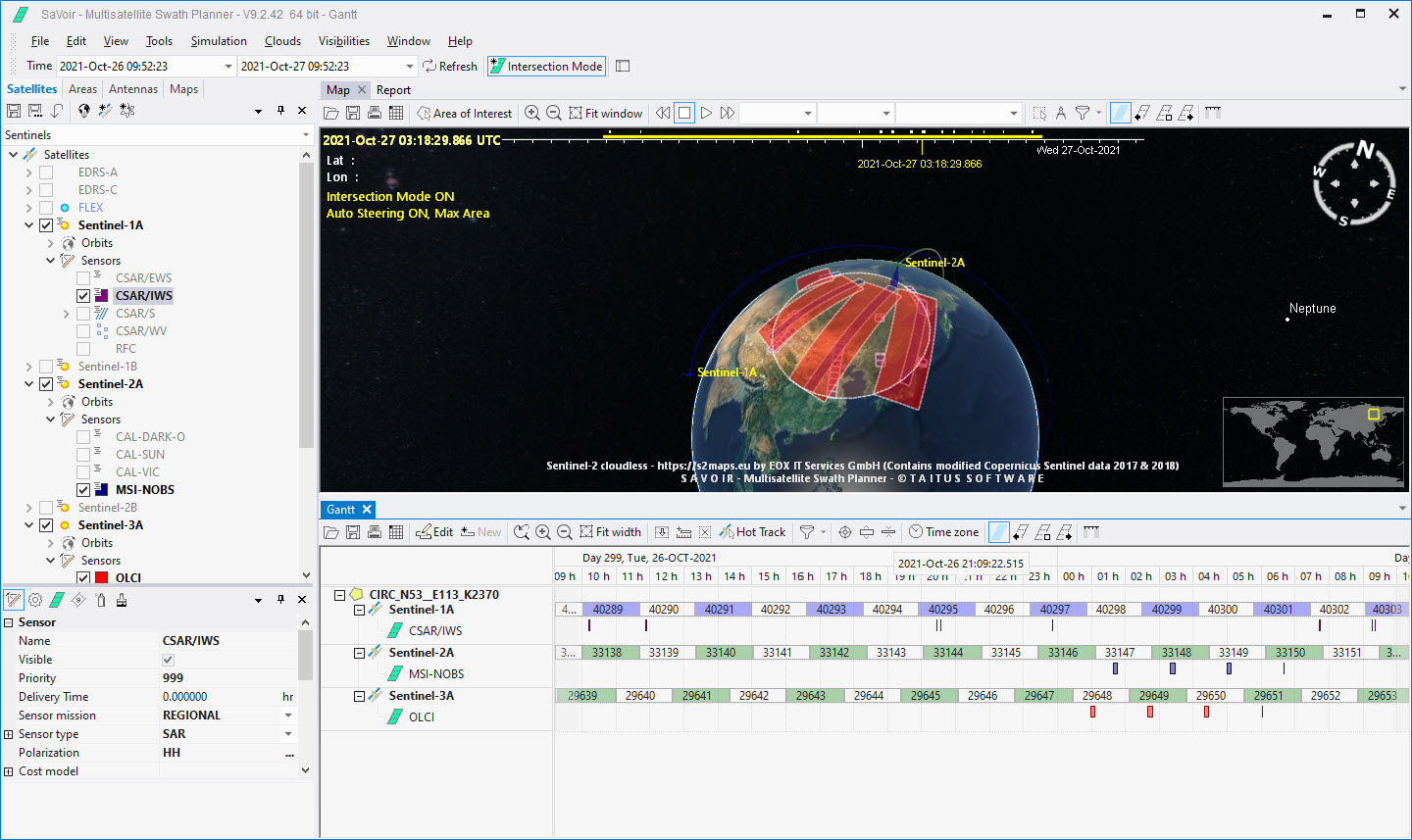
Diagram 1. Example of two horizontal tab group
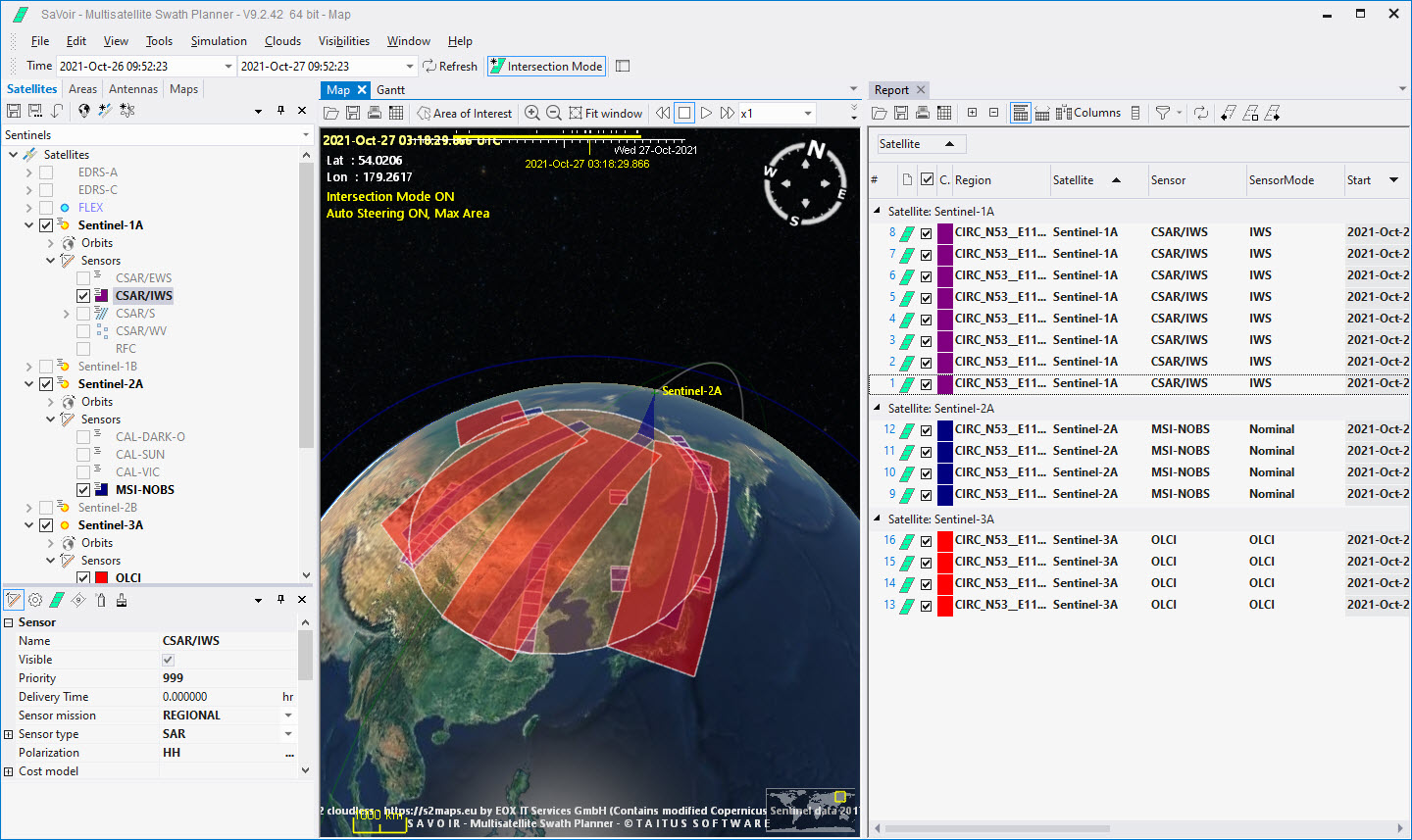
Diagram 2. Example of two vertical tab groups.
Multisatellite Swath Planner - © Taitus Software Italia srl All rights reserved- info: support@taitus.it