|
|

|

Swaths pane
The Swaths pane allows to collect all the swaths which are falling under the mouse, and list them on a properties pane from which accessing common properties and triggering common actions.
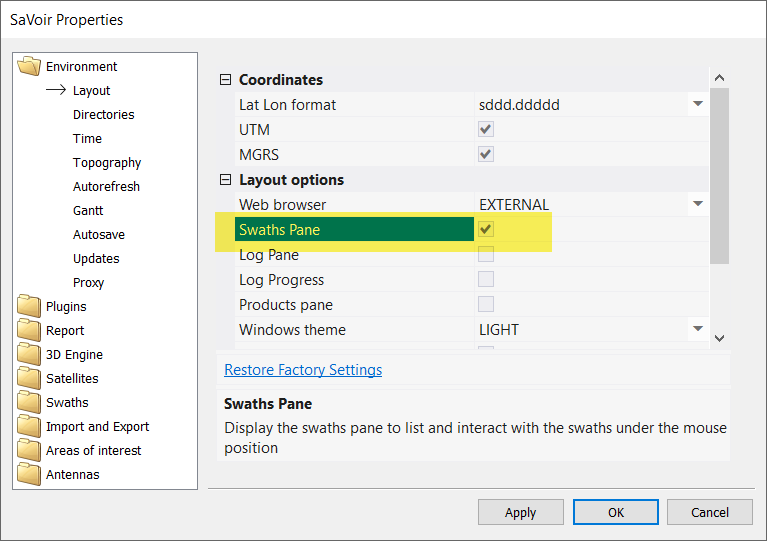
By default, the Swaths pae is inactive. Set it active in Edit / Properties / Environment / Layout / Swaths pane
When passing the mouse over a set of stacked swaths, the Swaths pane will open and will list the applicable swaths
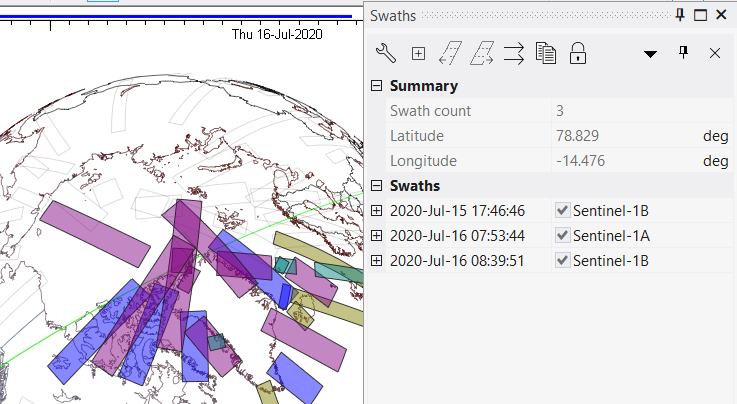
The Swaths pane allows to
- Via the Swaths pane toolbar
- Open the Swath pane parameters selection dialogue, to define the parameters that will be displayed in the pane
- Expand all swaths in the list to display its swath parameters
- Circle (back or forth) one by one in the list, to highlight only one swath at a time.
- Lock the swaths pane to avoid further updates when the user moves the mouse over the map
- Via right click menu over the current multi selection
- Swath details pane
- Resize and Pan
- Export the swaths to GIS files
- Set the satellite position at the beginning of the swath
- Change the swath colour
- other editing and viewing functions.
The Swaths pane is alternative to the infotext function.
Multisatellite Swath Planner - © Taitus Software Italia srl All rights reserved- info: support@taitus.it